Faction MCP Server
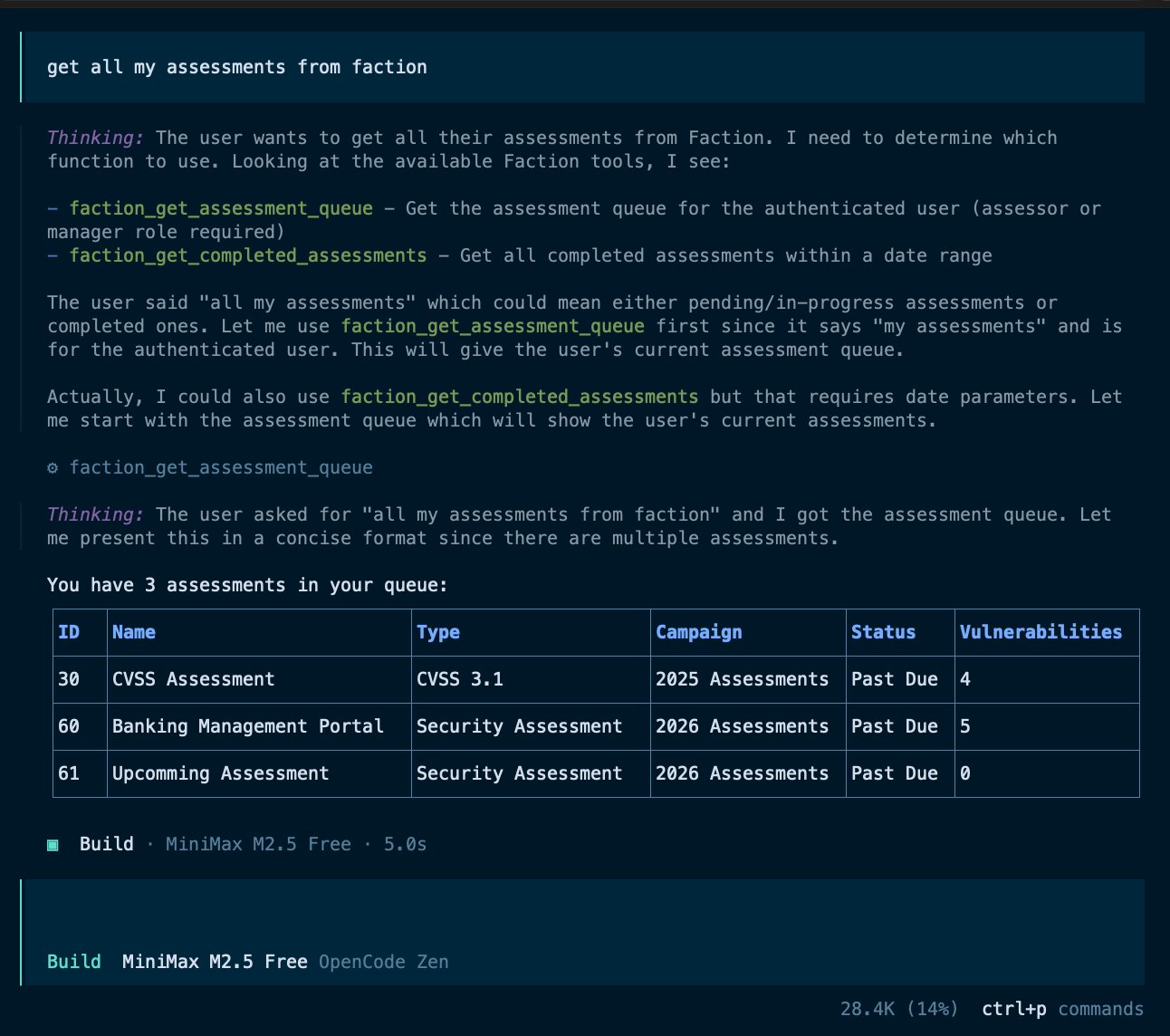
The Faction MCP server exposes assessments, vulnerabilities, retests, and audit logs to any MCP-compatible AI client. This is a really powerful addition to Faction that allows you to: - Integrate any CLI tool into Faction - Use any AI provider to create/edit vulnerabilities descriptions and recommendations - Generate executive summaries that include full detail of all vulnerabilities and observations to summarize and prioritize the risk assessment. - Integrate Local LLMs into Faction so you are not sharing with third-party providers - Fully Supports opencode, claude code, copilot-cli, LM Studio, and many others
Prerequisites
- Docker (or Podman) installed
- A running Faction instance
- A Faction API key — generate one under your user profile in Faction
Option 1: Docker Desktop MCP Catalog (Coming Soon)
Install directly from the Docker Desktop MCP Catalog. Enter your FACTION_API_KEY and FACTION_BASE_URL when prompted.
Option 2: Docker Compose (Docker or Podman)
This option works anywhere Docker Compose or Podman Compose is available.
1. Configure credentials
Edit .env and fill in your values:
FACTION_API_KEY=xxxxxxxx-xxxx-xxxx-xxxx-xxxxxxxxxxxx
FACTION_BASE_URL=https://faction.yourcompany.com
2. Build the image
Podman:
3. Configure your MCP client
Note
Edit the .env file mentioned above and leave it in the same folder as the docker-compose.yml for it to use your API credentials
Claude Code MCP Configuration
Add the following to your MCP client config (e.g. ~/.claude/settings.json for Claude Code, or claude_desktop_config.json for Claude Desktop):
Docker:
{
  "mcpServers": {
    "faction": {
      "command": "docker",
      "args": [
        "compose",
        "-f", "/absolute/path/to/faction-mcp/docker-compose.yml",
        "run", "--rm", "-T", "faction-mcp"
      ]
    }
  }
}
Podman:
{
  "mcpServers": {
    "faction": {
      "command": "podman-compose",
      "args": [
        "-f", "/absolute/path/to/faction-mcp/docker-compose.yml",
        "run", "--rm", "-T", "faction-mcp"
      ]
    }
  }
}
The
-Tflag disables pseudo-TTY allocation so stdio passes through cleanly to the MCP client.
To update credentials, edit .env — no rebuild required.
LM Studio MCP Configuration
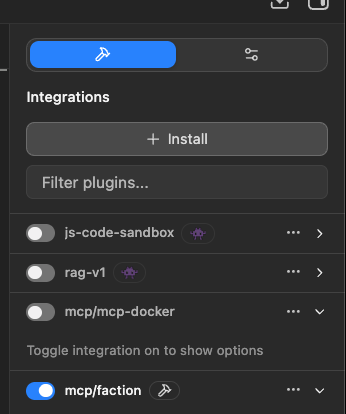
Go to Integration then click Install:
{
    "mcpServers": {
        "faction": {
            "command": "docker",
                "args": [
                "compose",
                "-f",
                "/Users/joshsummitt/Code/faction-mcp/docker-compose.yml",
                "run",
                "--rm",
                "-T",
                "faction-mcp"
            ]
    }
}
opencode MCP Configuration
Edit ~/.config/opencode/opencode.json and add the following config:
{
  "mcp": {
    "faction": {
      "type": "local",
      "command": [
        "docker",
        "compose",
        "-f",
        "/Users/joshsummitt/Code/faction-mcp/docker-compose.yml",
        "run",
        "--rm",
        "-T",
        "faction-mcp"
      ],
      "enabled" : true
    }
 }

    ...other stuff..
}
copilot-cli MCP Configuration
Edit ~/.config/microsoft-copilot/mcp.json
{
   "mcpServers": {
     "faction": {
       "command": "docker",
       "args": [
         "compose",
         "-f", "/Users/joshsummitt/Code/faction-all/free/faction-mcp/docker-compose.yml",
         "run", "--rm", "-T", "faction-mcp"
       ]
     }
   }
 }
Available Tools
Assessments
| Tool | Description |
|---|---|
get_assessment_queue |
Get all non-completed assessments assigned to the authenticated user |
get_assessment |
Get full details for a specific assessment by ID |
update_assessment |
Update assessment fields: notes, executive summary, distribution list, custom fields |
get_assessment_vulnerabilities |
Get full vulnerability data for an assessment (large response — includes HTML and screenshots) |
get_vulnerability_summary_data |
Get stripped vulnerability data optimized for generating executive summaries |
Vulnerabilities
| Tool | Description |
|---|---|
get_vulnerabilities |
Get all vulnerabilities opened within a date range |
get_vulnerability |
Get a vulnerability by ID |
get_vulnerability_by_tracking |
Get a vulnerability by tracking ID (e.g. Jira ticket) |
set_vulnerability_tracking |
Assign a tracking ID to a vulnerability |
set_vulnerability_status |
Set remediation status (dev/prod closed dates) |
get_risk_levels |
Get configured risk level definitions |
get_categories |
Get all vulnerability categories |
get_category |
Get a specific category by ID |
create_category |
Create a new vulnerability category (manager role required) |
Vulnerability Templates
| Tool | Description |
|---|---|
get_vulnerability_templates |
Get all default vulnerability templates |
search_vulnerability_templates |
Search templates by name (partial match) |
get_vulnerability_template |
Get a specific template by ID |
create_vulnerability_templates |
Create or update default vulnerability templates |
Retests / Verifications
| Tool | Description |
|---|---|
get_verification_queue |
Get the retest queue assigned to the authenticated user |
get_all_verifications |
Get all verifications, optionally filtered by date range |
get_user_verifications |
Get verifications for a specific user |
complete_verification |
Mark a retest as passed or failed |
schedule_retest |
Schedule a retest for a vulnerability |
Audit Logs
| Tool | Description |
|---|---|
get_audit_log |
Get the system audit log for a date range (admin role required) |
get_assessment_audit_log |
Get audit log entries for all assessments in a date range |
get_assessment_audit_log_by_id |
Get audit log entries for a specific assessment |
get_user_audit_log |
Get audit log entries for a specific user |